Hot Products





Popular articles
The 138th Canton Fair Oral Practice Guide: Essential Chinese and English Conversation Skills for New Foreign Trade Professionals (From Reception to Closing)
Effective Strategies and Practical Tips for B2B Customer Development in Global Trade
A complete guide to developing the US market: full of hard-core stuff to help you conquer the US market from 0 to 1!
Step-by-Step Guide: Building a Lightning-Fast WordPress Website for International Trade Professionals
How do foreign trade companies use AI to generate "customer DNA"? ——Intelligent portrait practice based on AB customer "global search"
B2B Export to the CIS Market: Market Overview and Efficient Development
AB客: Leveraging Intelligent Tools to Predict Exchange Rate Risks and Secure Profit Margins in Advance
Essential Strategies for Global Market Expansion: Context Adaptation of Multilingual Website Clusters and Application of Automatic Optimization Tools
How Smart Website Builders Drive Global SEO Growth for B2B Exporters
Recommended Reading










A daily tip for building a foreign trade website: Getting Started with Payment Method Integration – 3 Mainstream Payment Tools Every Beginner Should Learn
A must-read for beginners building websites for foreign trade: A detailed explanation of the advantages and disadvantages, applicable scenarios, and integration steps of PayPal, Stripe, and Shopify Payments, providing a step-by-step guide to integrating cross-border payment collection into your independent website.
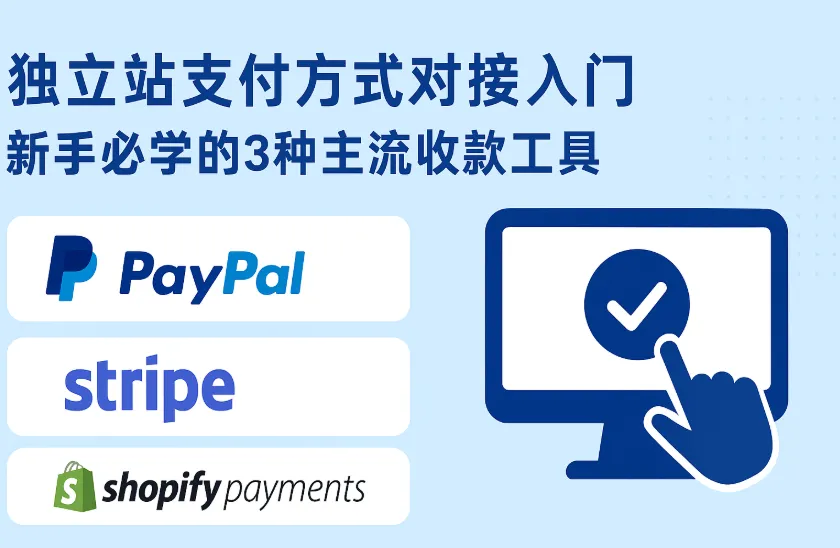
The two most painful things about building an independent website are: attracting visitors and successfully collecting payments. Today, we'll break down "how to collect payments" into actionable steps, explaining the advantages and disadvantages of three common options: PayPal, Stripe, and Shopify Payments, their applicable scenarios, and the practical steps to integrate them into your website from scratch ( including testing and launch considerations). This will help website beginners quickly master the process. Recommended reading: Global Payment Preferences in B2B Trade: Optimizing the Payment Process to Improve Conversion Rates
A quick overview of payment tools
| tool | advantage | shortcoming | Who is it suitable for? |
|---|---|---|---|
| PayPal (Business/Checkout) | Globally renowned, highly trusted by buyers, supports individual/merchant accounts, and easy to integrate (button/SDK). | High transaction fees, strict chargeback processing, and restrictions in some countries. | Rapid launch, B2C small-amount orders, cross-border retail, and non-flagship credit card scenarios |
| Stripe | Supports mainstream credit cards, local payment methods, developer-friendly interface, and powerful features (subscription, installment, Connect). | Requires strict enterprise or personal data requirements (some countries/feature restrictions), and has development requirements. | Technical independent websites, platforms that require direct credit card payments, and subscription or revenue-sharing models. |
| Shopify Payments | Seamless integration with Shopify, transparent checkout/fees, and Shopify store friendly. | Available only on the Shopify platform (regional/merchant restrictions), not available in some countries. | Sellers who already have a website on Shopify, and merchants who want to minimize development work. |
Which one to choose? Simple decision-making process
-
If you use Shopify → prioritize Shopify Payments (if available), otherwise accept PayPal/Stripe.
-
If you 're building your own front-end and back-end using WordPress/WooCommerce/ ABke Smart Website Builder and want to quickly add card payment options → Choose either Stripe or PayPal , or use both simultaneously (PayPal is faster, Stripe is more professional).
-
If your target market has a large number of PayPal users (Europe/America/part of Latin America) or you want to reduce user churn → prioritize PayPal .
-
If you want to do subscription/revenue sharing/platform revenue sharing → Stripe is more flexible (Stripe Connect / Billing).
1. PayPal: The first choice for quick onboarding and high user familiarity (beginner level)

advantage
-
Quick registration and integration: Buttons/SDKs or ready-made e-commerce plugins (WooCommerce, Shopify, Magento) can be enabled directly.
-
Buyers have a high level of trust (especially in the European and American markets), and the platform supports PayPal balance, credit cards, and debit cards.
-
You can open a Business account using your personal ID or business license (depending on the region).
Disadvantages & Risk Control Points
-
The transaction fees are relatively high (cross-border fees + fixed fees).
-
In disputes/refund situations, the policy tends to protect the buyer, and the seller is required to retain evidence of shipment/transaction.
-
Some countries restrict PayPal's functions or withdrawals (you need to pay attention to local policies).
Access steps:
-
Required documents : email address, ID card or company business license, bank account number, address, website domain name, and screenshot of the privacy/refund policy page.
-
Register a Business account : Go to PayPal to register and upgrade to Business (fill in your company or personal information).
-
Verification and Binding : Bind and verify your email address and bank account, and upload the necessary KYC documents.
-
Get API / Client ID :
-
PayPal provides
Client ID(front-end) andSecret(back-end) for REST APIs or Smart Payment Buttons.
-
-
Integration method (optional):
-
Plugin method : Enable the PayPal plugin in WooCommerce / Magento / Prestashop and enter the Client ID.
-
Front-end button : Using the PayPal Checkout JS SDK, the SDK is loaded and the button is rendered on the checkout page.
-
Server verification : The backend uses
orderto create/verify payments (to prevent tampering).
-
-
Test environment : Use PayPal Sandbox (sandbox account) to test the complete order placement, payment, cancellation, and refund process.
-
Go live : Replace with production Client ID/Secret, disable the sandbox, and set up a Webhook (to receive payment notifications/refund events).
-
Operational Note : Enable shipping/tracking number upload and save receipts and logistics information for dispute resolution.
PayPal Integration FAQs and Troubleshooting
-
Payment successful but IPN/Webhook not received: Check server certificate, whether the callback address is accessible from the public network, and whether there is a firewall blocking it.
-
Currency/Exchange Rate Issues: PayPal supports multiple currencies, but it will perform currency conversion by default and charge a fee. To avoid automatic conversion, clearly specify the supported currencies for receiving payments and prompt customers on the checkout page.
II. Stripe: The Top Choice for Professional Credit Card Acquiring and Developers

advantage
-
It natively supports credit cards (Visa/Master/Amex), local payment methods (Apple Pay, Google Pay, Alipay/WeChat Pay in some regions), subscriptions, revenue sharing, and multiple currencies.
-
The API is elegantly designed, well-documented, and equipped with comprehensive testing tools (test cards, Webhook tests).
-
With transparent pricing, a technically capable team can achieve lower dispute losses and a better user experience.
shortcoming
-
Registration usually requires company information or a complete KYC (some countries restrict individuals from directly receiving cards).
-
If you are in a country/region where Stripe is not covered, you may not be able to use it or may experience restrictions.
-
It requires development (front-end Elements or Payment Intents + back-end validation).
Integration steps (taking an independent website/self-built website as an example)
-
Required documents : Company information (or personal information, depending on the region), bank account, website information, business license/identity certificate, and business description.
-
Register a Stripe account : Go to the Stripe Dashboard, fill in the required information and complete the KYC process.
-
Enable test mode : Stripe provides test API keys (Publishable key + Secret key).
-
Select access method :
-
The simplest way : Use Stripe Checkout (managed: simply redirect to the Stripe managed page).
-
Customized checkout page : Use Stripe Elements + Payment Intents (more flexible, requires front-end and back-end coordination).
-
-
Obtain the API Key :
-
pk_test_...(frontend publishable) andsk_test_...(backend secret).
-
-
Develop the backend :
-
Create a Payment Intent (specify amount, currency, metadata).
-
Verify the Webhook (listen for events such as
payment_intent.succeededandcharge.refunded).
-
-
Front-end integration :
-
Include Stripe.js and initialize Elements or Checkout with a publishable key.
-
-
Webhook configuration :
-
Configure the production environment webhook endpoint to verify the legitimacy of requests using a signature key.
-
-
test :
-
Use Stripe to test card numbers and test scenarios (3D Secure, Failed Card, Refund).
-
-
Launched :
-
Switch to production keys and confirm that the settlement information, rates, settlement cycle, and tax information are correct.
-
Stripe Integration and Implementation Tips
-
Anti-fraud : Enable Stripe Radar to help block high-risk payments; additional manual review can be added for high-value orders.
-
Subscription/Revenue Sharing : If it is a platform-based business, understand the account types of Stripe Connect (Standard/Express/Custom).
-
PCI Compliance : Using Stripe Elements/Checkout can significantly reduce your PCI scope (Stripe handles card data processing).
III. Shopify Payments: A "Zero Integration" Option for Shopify Users
Features Review
-
Advantages : It can be enabled directly in the Shopify backend without additional API integration; it supports credit card and local payments; and settlement and reconciliation are done in the Shopify dashboard.
-
Disadvantages : Only applicable to Shopify stores; regional/merchant eligibility restrictions (not available in some countries); if banned, you still need to use a third party (Stripe / PayPal, etc.).
Integration process (on the Shopify platform)
-
Find the Payments settings in the Shopify admin panel.
-
Enable Shopify Payments (if available), and fill in and submit your merchant/KYC information (Bank account, ID, business info).
-
Configure settlement currency, payment method (Apple Pay/Google Pay), and fraud settings.
-
Test and release: Shopify offers a test mode or allows you to perform a small test using a real card.
-
You can manage reconciliation/settlement cycles/refund operations in one place in the backend.
Advantages of parallel access (simultaneously enabling PayPal + Stripe)
-
It covers more buyer preferences (PayPal users + users who are used to swiping by card).
-
PayPal focuses on "quick payments/small-amount user trust," while Stripe focuses on "high-amount direct credit card payments/subscriptions."
-
On Shopify, you can enable both PayPal and Shopify Payments (or Stripe via Shopify) to improve conversion rates.
Practical Guide to Website Building (12 Steps for Beginners)
-
Choose your website platform (Shopify / WooCommerce / AB客) → Decide on your preferred payment method.
-
Prepare the necessary documents (ID card/business license/bank statement/domain name/privacy refund page).
-
Register and complete KYC (PayPal or Stripe Dashboard).
-
Set the settlement currency and country (confirm the settlement currencies supported by the bank).
-
Obtain the API Key / Client ID (Keep the Secret safe, do not put it on the front end).
-
Install plugins or copy SDKs from the website :
-
WooCommerce: WooCommerce PayPal / Stripe plugin;
-
Self-built: Integrate with PayPal JS SDK or Stripe Checkout/Elements.
-
-
Implement backend validation : verify order creation, signature, and callback to prevent forged callbacks.
-
Configure and verify Webhooks (payment success, refund, dispute events).
-
Conduct full-process testing (normal payment, failure, refund, and chargeback processes) in a sandbox/test environment .
-
Pre-launch checks : Domain name is enabled with HTTPS, callback address is accessible, and logs are searchable.
-
Go live and observe for the first 48 hours : verify receipt of payments, monitor for anomalies, and optimize risk control strategies.
-
Prepare customer documentation/FAQ : payment methods, refund policy, support email/phone number.
Frequently Asked Questions (FAQ)
Q: How long does it take for money received via PayPal to reach my bank account?
A: Dependencies (depending on country/account type/first withdrawal). Typically a few days to a week, the first withdrawal may be delayed for KYC checks.
Q: Can Stripe directly transfer money to my local bank?
A: If Stripe supports your country/region and you have completed KYC, the payment will be credited to your account according to Stripe's settlement cycle (you can check it in the dashboard).
Q: How to reduce the risk of chargebacks/disputes?
A: Save shipping invoices, delivery tracking information, and customer service communication records; fully display product information and refund policies on the checkout page; use 3D Secure to verify high-risk transactions.
Q: Is PCI certification required?
A: If you use a managed solution (Stripe Checkout, PayPal Checkout, Shopify Payments), the service provider bears most of the PCI liability; self-collecting card information requires a higher level of compliance.
Conclusion + Recommended Combination
-
Want faster and cheaper development ? First, connect to PayPal (Business) and enable the plugin on the platform. You'll see results in 30 minutes.
-
For professional, long-term cross-border e-commerce : Use Stripe as your primary payment method (credit cards), while keeping PayPal as an alternative/quick payment option.
-
On Shopify : prioritize Shopify Payments (if available), then use PayPal as an alternative.


