Hot Products





Popular articles
Overcoming Foreign Trade Customer Management Challenges: How Email Marketing Tools Drive Precise Communication
Must read! After sending samples, the customer has no feedback. How can new foreign trade people deal with it with high emotional intelligence?
Analysis of Key Skills in Cross-Cultural Communication: Boosting Success Rates in International Trade Negotiations
Enhancing B2B Export Business: The Role of Multi-Payment Solutions in Boosting Customer Experience and Order Conversion
How to Optimize International Logistics for Competitive Supply Chains in Global Trade
Why Your Foreign Trade Website Has No Traffic? 3 Steps to Boost Google Rankings with Smart SEO Engine
ABK Smart Website Building Case Study: Boosting Overseas Market Traffic and Conversions
Recommended Reading


(1).jpg?x-oss-process=image/resize,h_1000,m_lfit/format,webp)

A daily tip for building a website for foreign trade: How to change the template images and buttons?
Even beginners can quickly build an international trade website! This article uses ABker Smart Website Builder as an example to teach you step-by-step how to use international trade industry templates to easily replace text, update images, and set buttons, all without coding. It's suitable for B2B international trade industries such as machinery, chemical materials, and hardware tools, helping international trade companies quickly launch high-conversion websites.
For foreign trade novices who are new to website building, the most common confusion is:
✅ The template looks great, but how do I modify it to make my own?
✅ Can text, images, and buttons be changed at will?
✅ Can you create a professional foreign trade website even if you don't know any coding?
The answer is: Yes, and it's very simple!
Today's article will focus on... Taking AB Customer Smart Website Builder (Foreign Trade B2B Smart Marketing Solution) as an example, we will teach you step by step how to modify pages using website templates even if you have no experience – no coding required, just three steps: "click → replace → save".
Whether you're in the machinery, chemical, hardware, or textile and apparel industry, as long as you know how to use a mouse, you can replace the entire website content, allowing your website to go live faster and acquire customers more quickly.
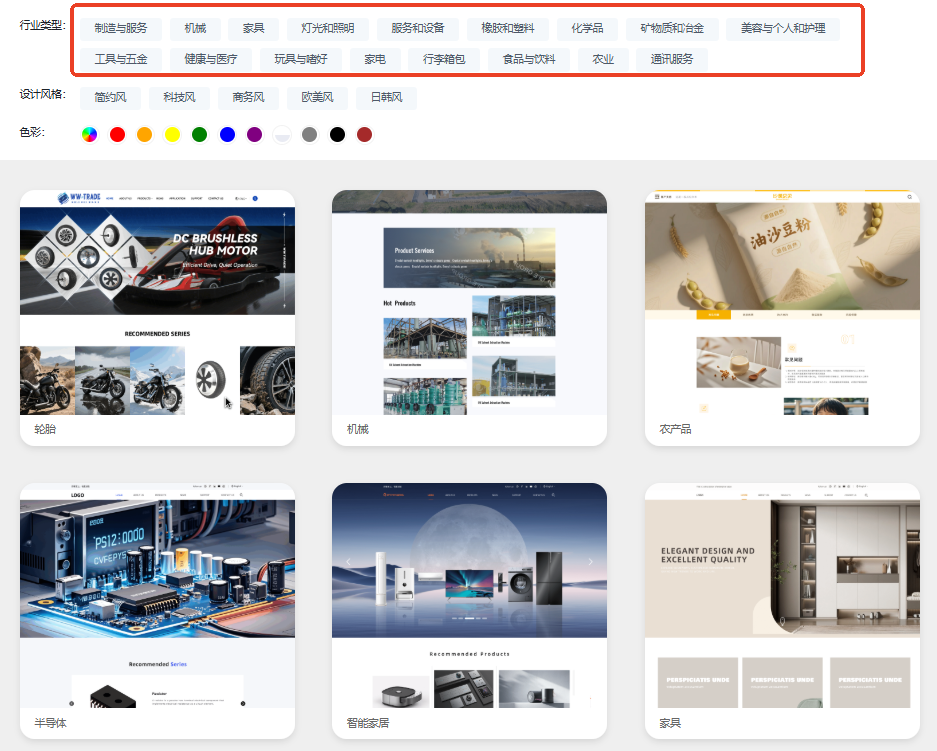
✅ I. Which industries are ABke Smart Website Templates suitable for?
ABke offers a large number of SEO-optimized, professionally structured industry templates that are tailored to the habits of foreign trade users, supporting all categories of foreign trade B2B:
✅ Mechanical equipment
✅ Chemical materials
✅ Electronics and Electrical Engineering
✅ Textiles and Apparel
✅ Automotive parts
✅ Hardware tools
✅ Agricultural product processing
✅ Building Materials
✅ Industrial products/OEM products
These templates are not only "aesthetically pleasing," but also optimized based on the browsing habits of overseas buyers—they feature a clear structure, short inquiry paths, and prominent CTAs, making them ideal for foreign trade companies that need to quickly launch their official websites.
✅ II. For beginners: How to easily modify pages using templates?
Now we move on to the most important practical part: teaching you how to replace text, images, and buttons on a webpage.
No coding knowledge is required at all; even beginners can get started in 10 minutes!
✅ Step 1: Replace the text in the template (the simplest and most commonly used step)
Almost all newcomers get stuck at:
"These texts look quite professional, but how do I replace them with my own content?"
At AB Guest, it only takes 2 steps:
▶ 1. Click on the text area you want to replace.
Move the mouse over the text → Click → The text box will be highlighted.
▶ 2. Enter your own content directly.
Just like editing a Word document, the cursor blinks, and whatever you type, the webpage displays.
For example:
-
Replace "Professional Machinery Supplier" with "Leading CNC Machine Manufacturer in China" in the template.
-
Replace "Contact Us" with "Get a Free Quote Now"
-
Replace the product description with your parameter summary.
You can even:
✅ Adjust text size
✅ Change color
✅ Bold, line break, add icon
✅ Modify heading levels (H1/H2/H3, for SEO benefit)
No code required at all!
✅ Step 2: Replace the images in the template (the most common action to improve the quality of a website)
Foreign trade buyers are highly sensitive to images; replacing them with your product images will instantly elevate the website's perceived quality.
Replacing images in AB Guest is also super easy:
▶ 1. Click on the image area
The image settings panel will pop up automatically.
▶ 2. Click "Upload Image"
Choose your own product images, factory photos, detail photos, etc. from your computer.
The system will automatically:
✅ Fits all sizes
✅ Optimized size
✅ Maintain clarity
You can also:
-
Set rounded corners, shadows, and proportions.
-
Add a link (click the image → jump to the product page)
-
Add a title or description (for better SEO)
Tip: Uploading a clear, large image of around 1200px will yield the best results.
✅Step 3 : Modify the button: You can change the text, link, and color.
Buttons are key to website inquiry conversion (CTA).
Good buttons make customers more willing to click, for example:
-
Get Quote
-
Download Catalog
-
Contact Sales
-
Get Free Sample
In AB Guest, modifying the button also involves 2-3 steps:
▶ 1. Click the button itself
The editing bar will expand automatically.
▶ 2. Modify button text
You can change it to a more attractive copy that will garner inquiries, for example:
-
"Free Sample Request"
-
“WhatsApp Us Now”
-
Download Product Sheet
▶ 3. Set up a button to redirect to a link
You can skip to:
✅ Contact Us Page
✅ WhatsApp chat link
✅ Product Details Page
✅ PDF catalog file
✅ Message Form
▶ 4. Optional: Adjust button style
-
Change color
-
resize
-
Change to rounded corners
-
Change background or border
No code needs to be written.
✅ III. Why can even complete beginners quickly create a professional foreign trade website using AB Customer?
Because AB-customer is specifically designed for B2B foreign trade companies :
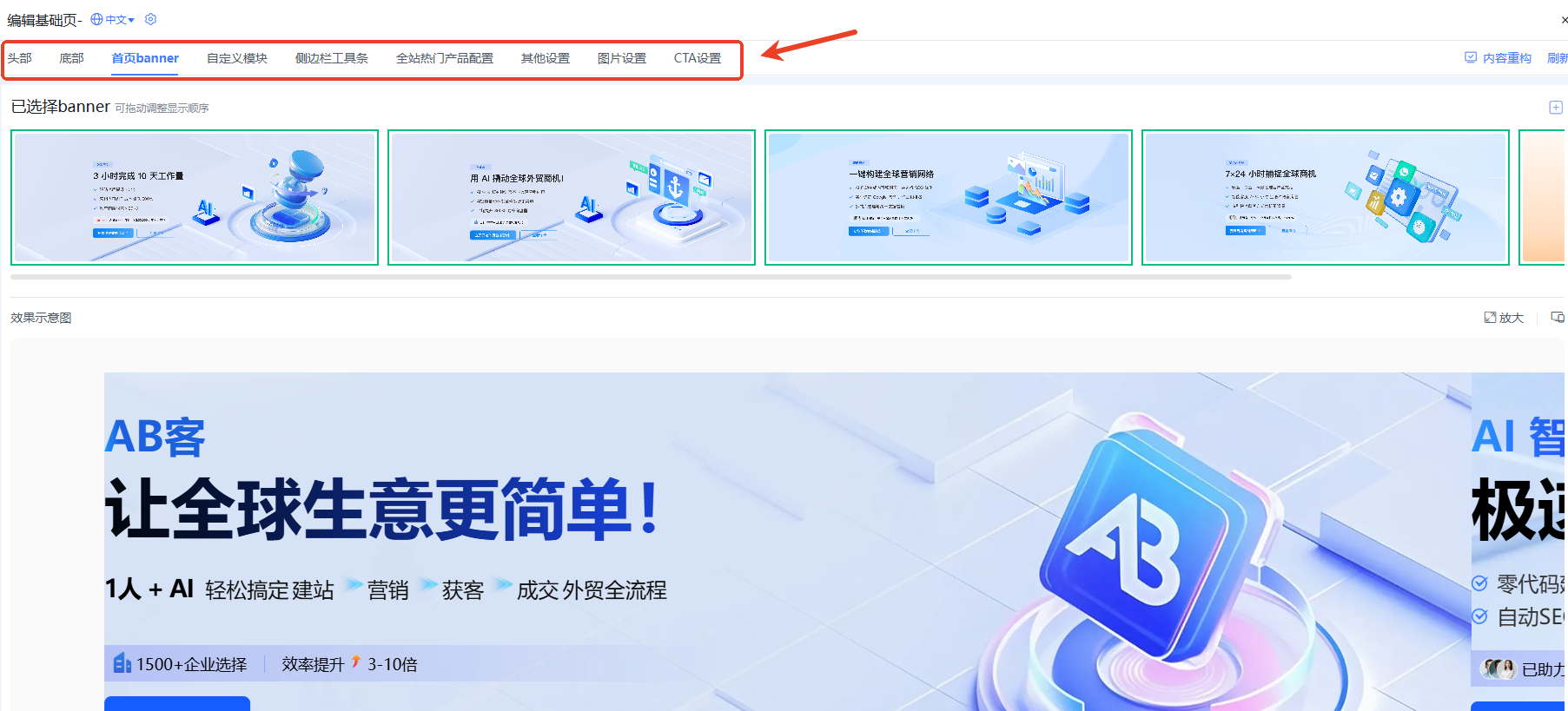
✅ 1. All components are drag-and-drop.
You can click on and change whatever you see.
✅ 2. What you see is what you get
Click on any spot to preview the changes in real time.
✅ 3. The template itself has been optimized for foreign trade.
You only need to replace your own content; no design is required.
✅ 4. AI-assisted content replacement
AB Customer's built-in AI automatically generates:
-
Product copywriting
-
Company Introduction
-
FAQ
-
Industry content
-
SEO Title and Description
It is especially friendly to those who are just starting out in foreign trade.
✅ IV. The Correct Process for Modifying a Web Page from Scratch (Recommended to Save)
Follow these 5 steps and you can replace 80% of the content on your international trade website in just one day :
-
Select a template (machinery/chemical/hardware, etc.)
-
Replace the homepage image and title text
-
Replace your product images and parameter text
-
Change the button link to your own WhatsApp/email address.
-
Replace "About Us" and "Advantages"
You don't need to do:
❌ Code editing
❌ Page Design
❌ Layout adjustment
❌ Responsive adaptation
❌ Multilingual translation (ABK supports one-click multilingual support)
All you need to do is replace it.
✅ V. Summary: Why is AB Guest particularly suitable for website building beginners?
If you are looking for a foreign trade website solution that is easy for beginners to use and can quickly generate inquiries, then:
✅ Abundant export templates
✅ SEO Structure Professional
✅ Drag-and-drop editing
✅ AI automatically writes content
✅ Multilingual website cluster
✅ Automatic conversion link
✅ More suitable for B2B industrial foreign trade enterprises
This is determined by the positioning of AB customers:
It's not just a website building tool, but a complete intelligent marketing solution for foreign trade B2B .
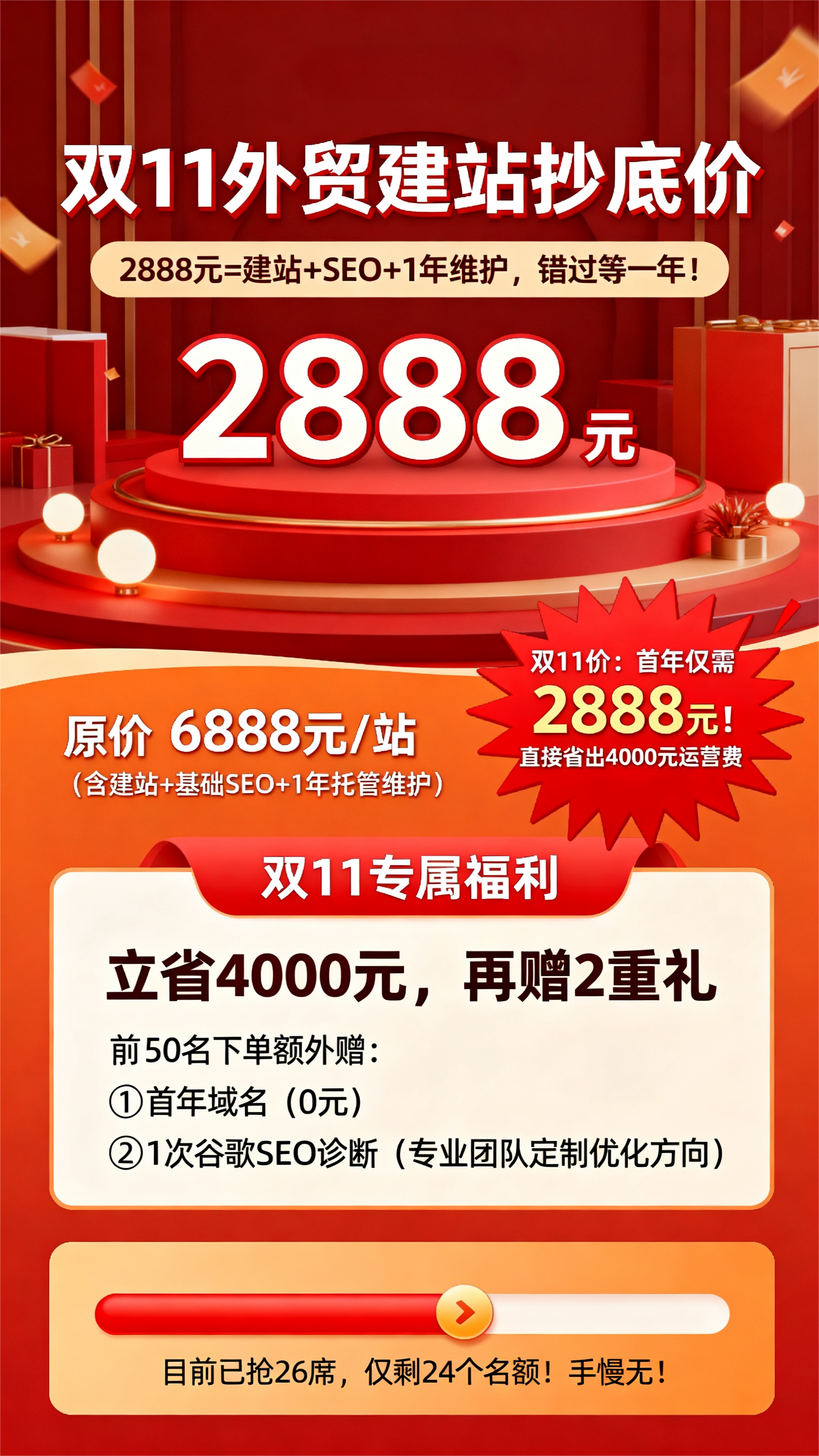
Special Double 11 offer: create a high-conversion independent website for only 2888 yuan for the first year, including website building , basic SEO, and 1 year of managed maintenance. First come, first served ! >>> Claim yours now!
Related articles:
One website building tip a day | What are the essential things to do before building a website?


